Manage Catalogs
Viewing Metastores
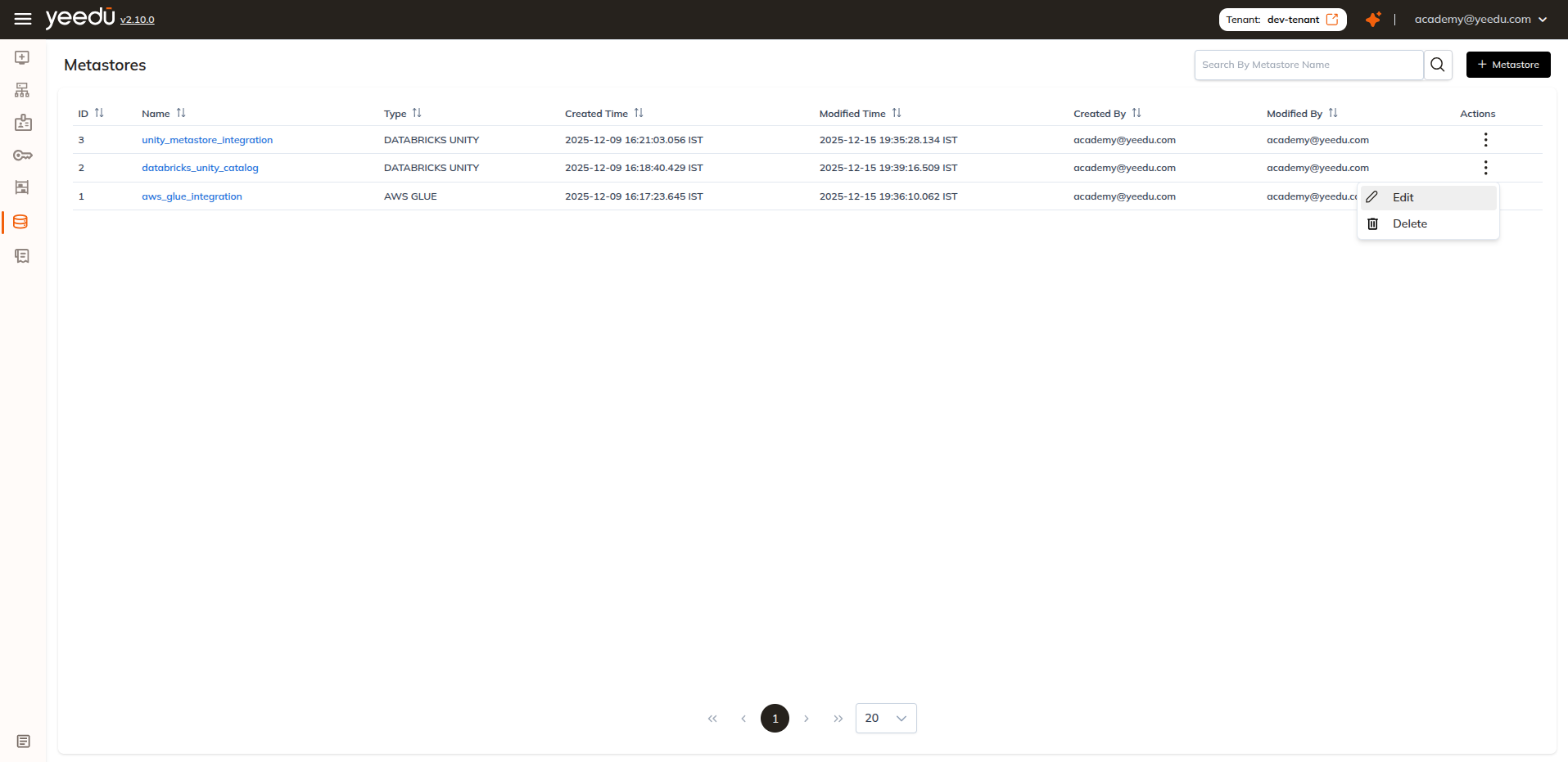
Metastores are a tenant-level object. Open the Metastore Dashboard from Metastores in the tenant left navigation (/tenant/<tenant-id>/meta-store). Everything created under Catalogs lands here whatever its type, so a tenant running one HIVE metastore against a legacy warehouse and one AWS GLUE metastore against S3 sees both in the same list, with the same Edit and Delete actions sitting on each row.
Each row shows:
- Metastore ID
- Metastore Name
- Type (e.g.,
DATABRICKS UNITY, HIVE, AWS GLUE) - Created Time
- Modified Time
- Created By
- Modified By
- Actions (Edit, Delete)
Managing Metastores
| Action | Description |
|---|---|
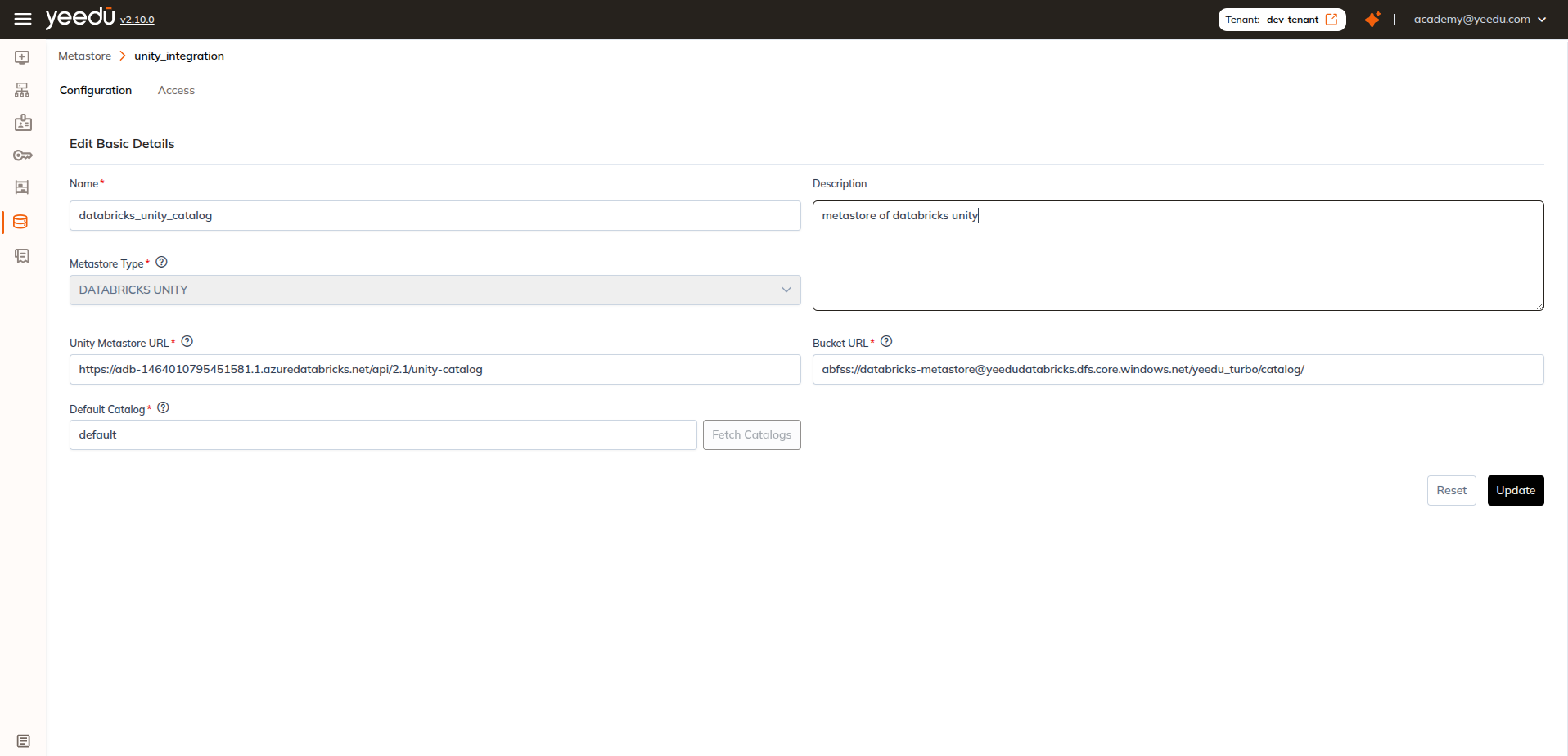
| Edit | Modify the metastore configuration such as URL, catalog name, and associated secret values |
| Delete | Permanently remove the metastore from the tenant |
Editing a Metastore
In the Metastore Dashboard, open the Actions menu for a specific metastore.
Select Edit to update details such as:
- Metastore URL
- Catalog name
- Linked secrets
Click Update to save the changes.
We haven't documented when the updated configuration takes effect on clusters that are already attached to the metastore.
Deleting a Metastore
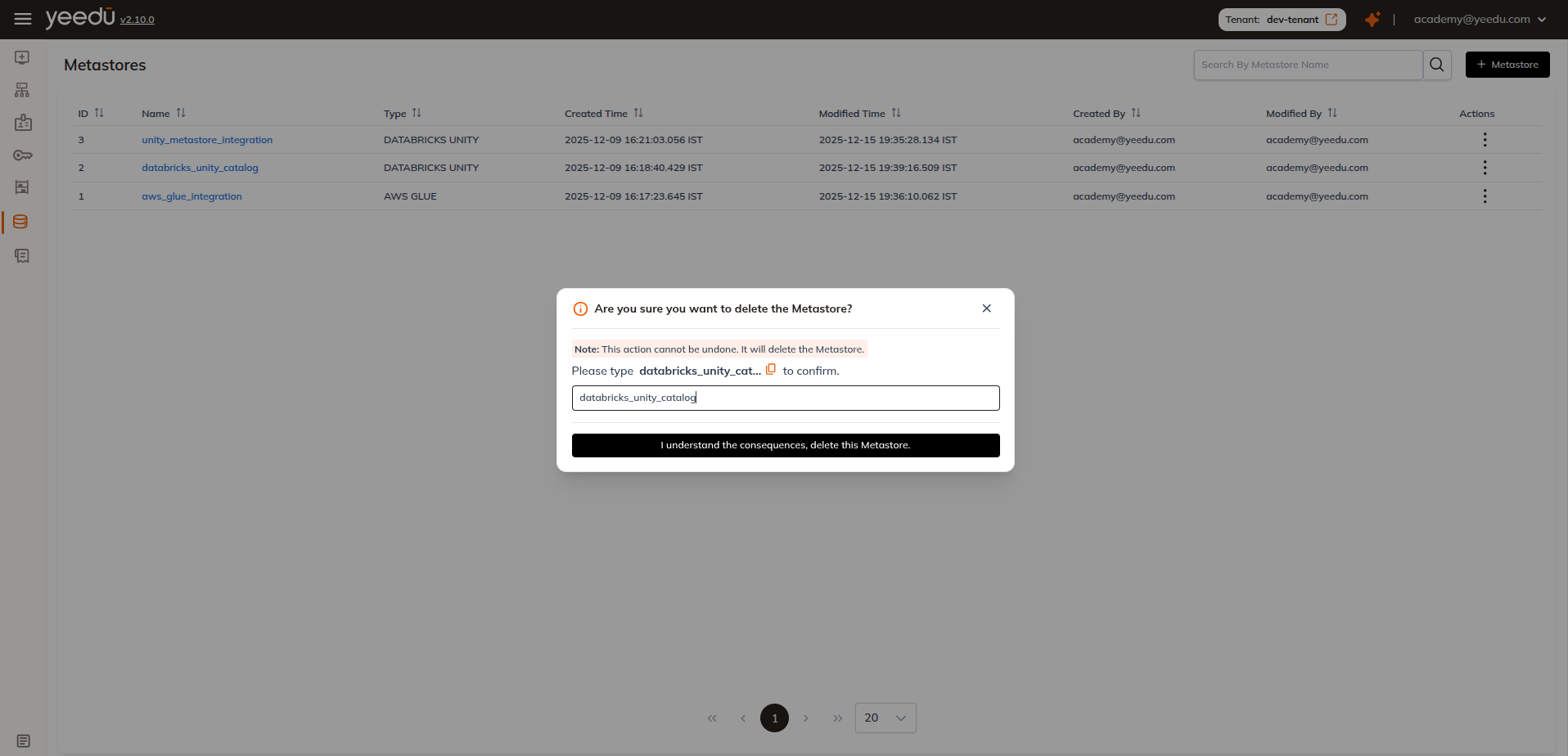
From the Actions menu, choose Delete to remove a metastore.
This action:
- Permanently removes the metastore from the tenant
- Requires the tenant Admin or Platform Admin role. Delete is disabled for the User and Can Manage Cluster roles
- Can't be undone
We would check that no active clusters are using the metastore before deleting it.
Attaching Unity Metastore to a Cluster
1. Creating a New Cluster with Unity Metastore
- Navigate to
Clusters→ click+ Cluster - Fill the basic cluster details
- Go to the Metastore which is after Labels
- Select the Metastore from the dropdown
- Create / launch the cluster
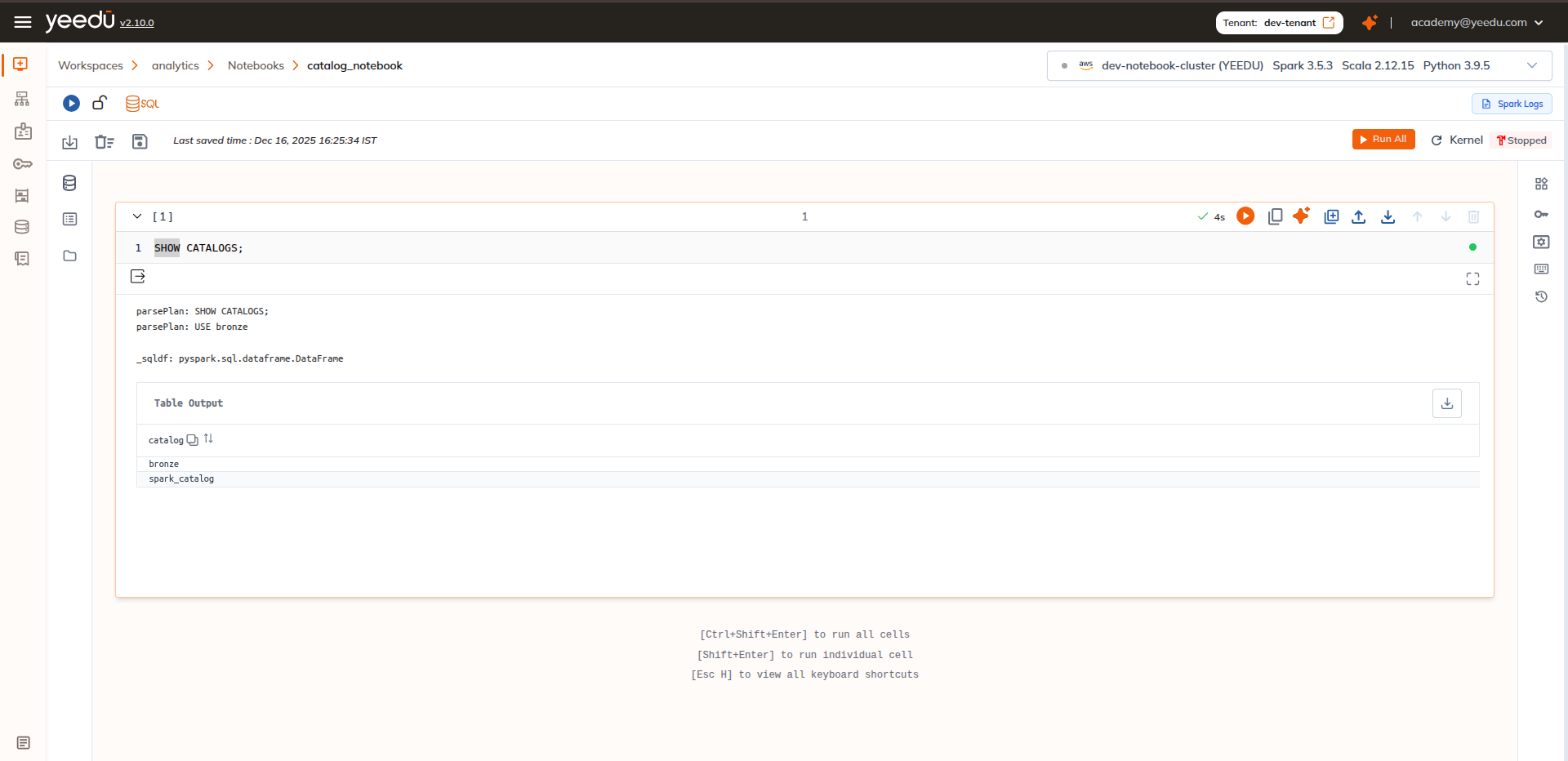
- Open a SQL notebook
- Run test queries:
SHOW CATALOGS;
2. Editing an Existing (Destroyed) Cluster to Attach Unity Metastore
- Open Clusters → locate a cluster in destroyed state
- Click the cluster to edit configuration
- Select the required Metastore from the dropdown
- Update the cluster
- Launch a SQL notebook
- Run test queries:
SHOW DATABASES;
DESCRIBE DATABASE default;